Managing Campus Announcement Submissions
To manage Campus Announcement submissions from the Campus Communications Form, go to the Campus Communication dashboard page.


To manage Campus Announcement submissions from the Campus Communications Form, go to the Campus Communication dashboard page.
The Office of Web & Digital Strategy advanced several strategic initiatives across uis.edu and the UIS Mobile App during FY26. These efforts strengthened accessibility, usability, transparency, content quality, and information discovery for both visitors and campus editors. The team completed approximately 122 tasks and project requests and trained 125 employees. View the FY26 website statistics for additional performance data.
Getting the right message to the right audience at the right time is essential to effective campus communication. To help make that process easier, UIS Marketing & Brand Strategy has launched a Campus Communications Form that serves as a single starting point for campus-wide communication requests. This developed form replaces the former Campus Announcements submission process and helps ensure messages are delivered through the most effective communication channels.
Sign up for the bi-monthly website editor training on the uis.edu website. Multiple times and dates available.
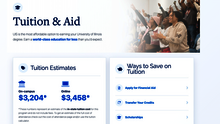
Based on Generative Engine Optimization (GEO) audit, the Office of Web and Digital Strategy has introduced new features to the academic program pages.
At the University of Illinois Springfield (UIS), our mission is to provide an accessible, high-quality education that prepares students for success, strengthens our communities, and advances the public good. We measure our progress by the outcomes we achieve for our students and by how we compare with peer institutions across key areas of student success and institutional performance.
The new UIS AI Chat makes finding information on the UIS website easier. Access it by clicking the "UIS AI Chat" bubble in the bottom-right corner.
This guide explains how to create, preview, test, and send a newsletter from Drupal.
The Newsletter content type builds an email newsletter from selected Article and Event content. Editors choose the newsletter layout, add a subject line, add a recipient list, select articles and events, preview the email, send a test, and then queue the final send.
The second Web Advisory Council meeting covered active web projects including an AI chatbot, archive site, and program page enhancements. Three homepage redesign concepts were presented by Lina for council feedback. A new campus communications triage form is launching imminently to replace the deprecated campus announcements system.
| If your message is… | Use this platform | Examples |
|---|---|---|
| A student event or primarily intended for students | UIS Connections (Student Events). Shown in that platform, uis.edu website and UIS Mobile app. |