You can now check your Broken Links Report on SiteImprove!
To find the Broken Links Report on Siteimprove, make sure you are in one of your groups and are in the Quality Assurance dashboard:
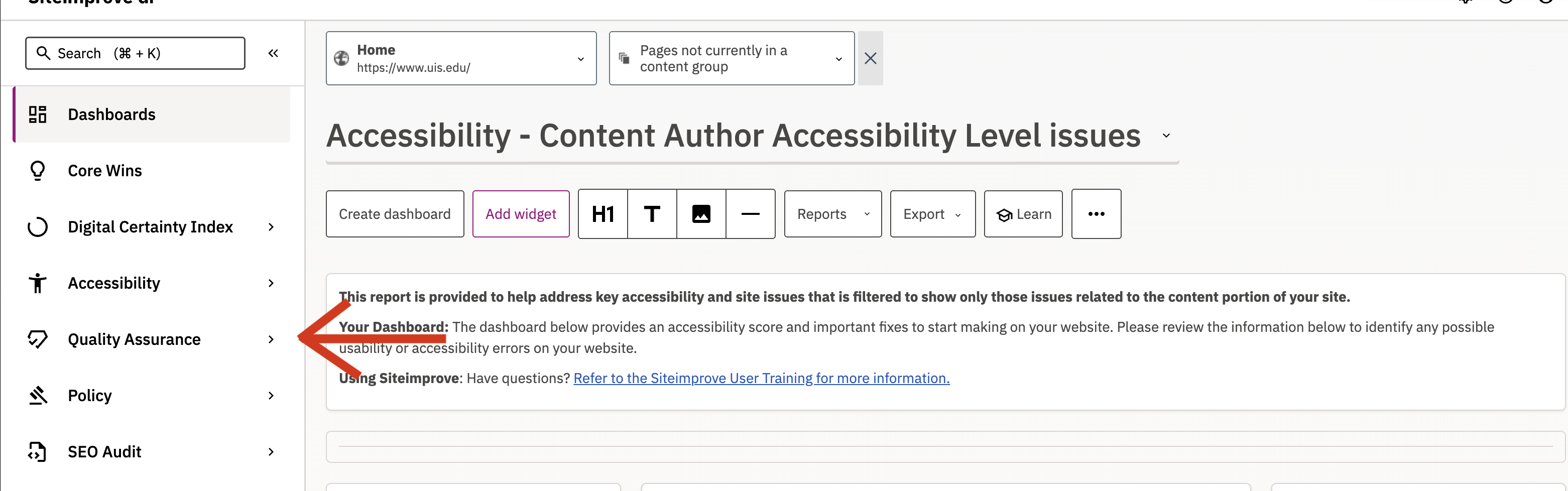
On the Quality Assurance dashboard, you can select the either the Pages with Broken Links tab or the Broken Links tab to see their dashboards:
Pages with Broken Links Dashboard
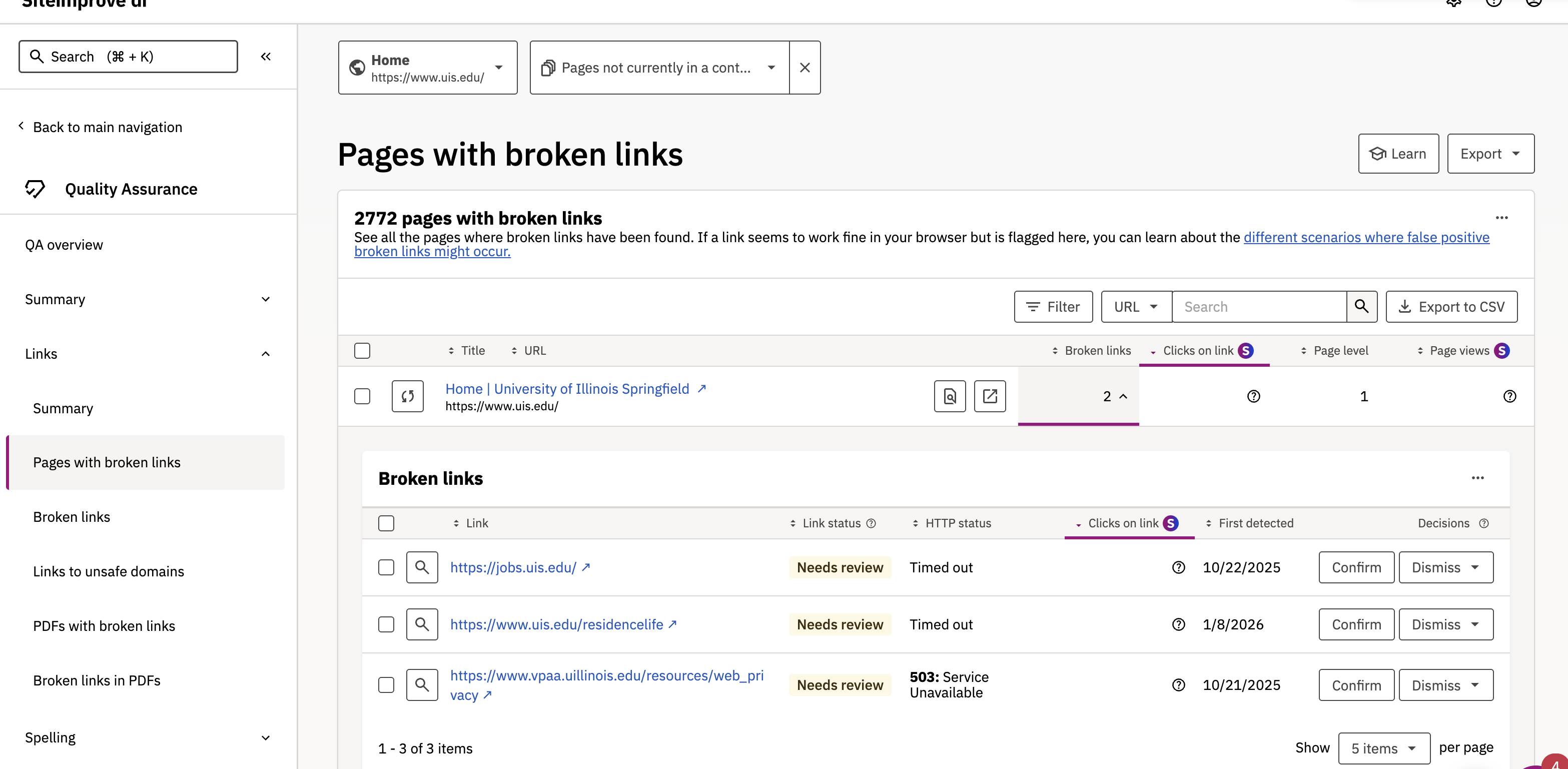
On the Pages with Broken Links Dashboard, you can check what pages have broken links on them, how many broken links are on each page, and you can also confirm/dismiss the broken links.
Broken Links Dashboard
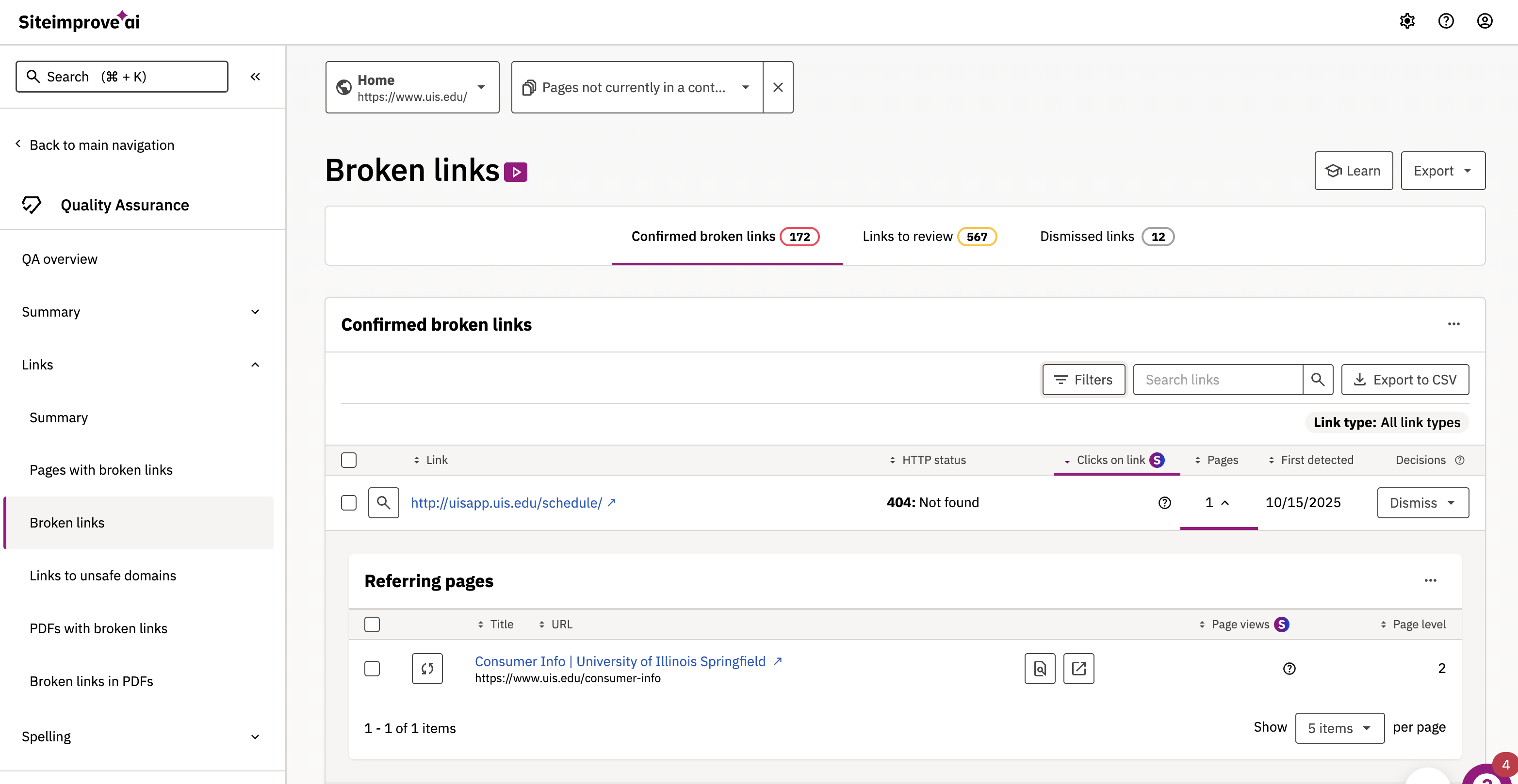
While very similar to the Pages with Broken Links Dashboard, the Broken Links Dashboard lets you sort the broken links within your department/unit's pages into Confirmed Broken Links, Links to Review, and Dismissed Links. On each link's row, there is a "pages" column number which, when clicked on, allows you to see where the broken link is located.
Investigating the Link
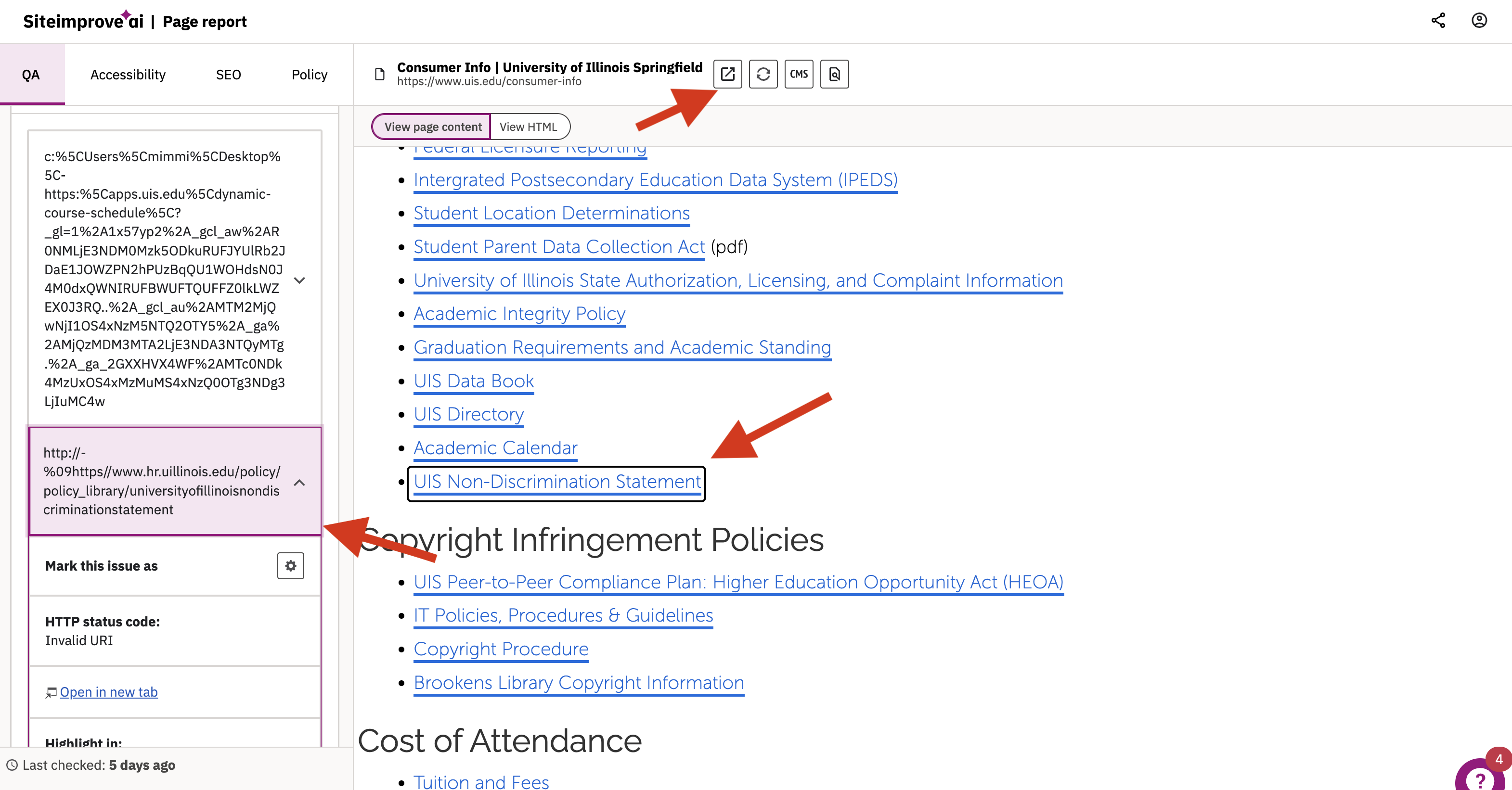
On both dashboards, when you click on the page that the broken link is on, a Siteimprove page will open that will allow you to pinpoint where exactly your broken links on within your content (by clicking on the URLs listed on the left hand side of the browser window) so you can change them within the editor. Buttons to open the page up in a new window outside of Siteimprove are located next to the Page's name at the top of the window.