You must be a website editor in order to create content on the website. Please sign up for Website Access Training to gain access.
You must have the permission from the unit head or web liaison in order to edit the website.
How to Submit an Article to Orbit
Please see How to Create an Article to see how to create a News Article.
Now editors have the option to add articles to Orbit for their employee news and announcements.
You can do so by selecting the Orbit news category and appropriate subcategory in More Settings, and the corresponding subcategory on what type of Orbit article it is:
- breaking news: time-sensitive information that is pertinent to all of campus.
- campus announcement: share all your departments campus announcements, directly related to employees. Select this option to get your article onto Orbit.
- eom: this is to create and share articles related to the employee of the month.
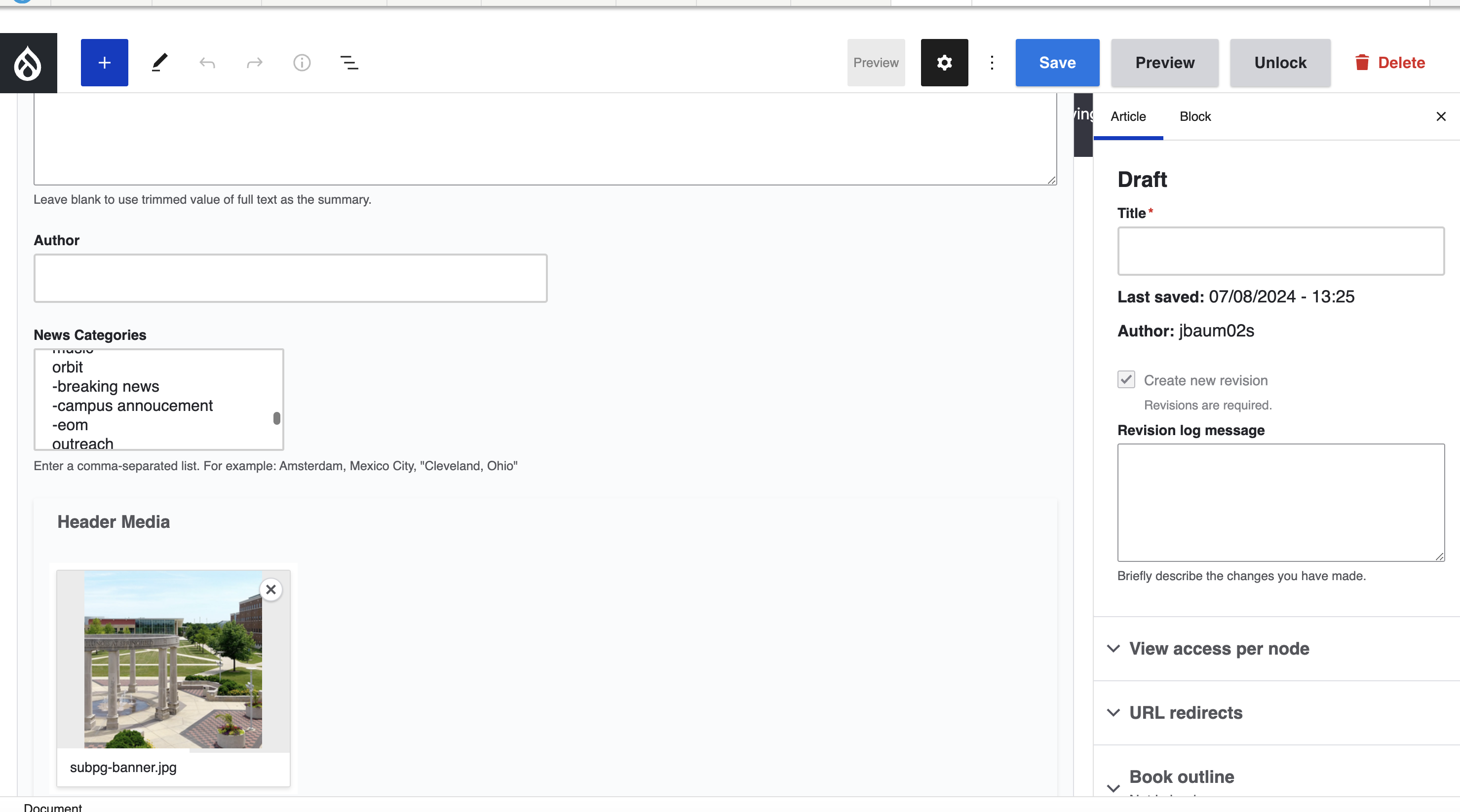
All articles recommended by editors are reviewed by the Office of Marketing and Brand Strategy for alignment to the Orbit purpose and goals.
Requirements for an Orbit article:
- All titles must be in AP style.
- Capitalize only the first word and proper nouns.
- Capitalize the first word after a colon only if it is a proper noun or begins a complete sentence. (“Public Affairs Center first floor reopens” instead of “Public Affairs Center First Floor Reopens”)
- Style Guide
- Review Content for Accessibility using
- the Accessibility Checker,
- Siteimprove,
- and the Content Review Guidelines
- In News Options on the right hand side of the editor:
- You must upload a Thumbnail image (size: 1920px by 1080px)
- In More Settings at the bottom of the editor:
- Select Header Media (Size: 1920px by 1080px)
Once you are ready for your article to be reviewed and published, submit for 'Needs Review' and an email will be sent to the Marketing team for review.
If you have any questions on this new capability, contact web@uis.edu.